How to play PC games on Android without a PC is a common question popular amongst the youth worldwide. In this article, we will strive to provide you with assistance in this regard.
Computer Games
There are many great PC games, including classic DOS games and first-person shooters. What if you are looking for great computer games that you can play on the move? You can not take a desktop PC with you, and they do not lend themselves to short play sessions.
If you own an Android tablet or phone, you are in luck! You can play these classic computer games anywhere, anytime. And the common issue of how to play PC games on android without a PC is not a problem for you with our this ultimate guide.
PC Games For Your Pocket
We could not imagine carrying full PC games around with us back in those days. The hand-held games offered little to no PC experience and were at best rudimentary.
Most of us walk around today with our smartphones in our hands. The average Android smartphone has a higher processing power than the supercomputers in the 1980s and is far more capable.
You can play PC games on Android without having to have a PC. Yes. There are many ways you can play your favorite computer games on Android. Let us have a look now.
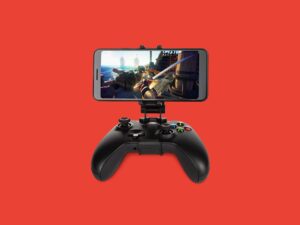
Check For Android Supports Ports
It is easiest to play PC games on Android by downloading a native version. It is because native Android versions of old PC games can run at their best and provide the best overall experience.
Search the Google Play Store on your Android device for the classic game that you desire to play. It may surprise you to discover that many classic PC games have Android versions.
You should use Native Android versions to avoid the complex setup and configuration required by other methods.
Browser-Based Apps Can Fill In The Gaps.
You do not have to search for native games in the Google Play Store. You can run many games in your browser to get that classic gaming experience whenever you like. You can play classic games like Solitaire for Android and Pac-Man right from your browser. These games are easy to use on any device, with simple touch-screen controls and fast performance.
How To Play PC Games On Android Without A PC: Games Made For DOS
There is still hope for those who want to enjoy classic PC games on their Android devices. DOSBox Turbo makes it possible to play DOS games on an Android tablet or phone. Unfortunately, this is not an easy installation. Although you can get it from the Google Play Store directly, things are not that easy. You will need to install the DOSBox Turbo app, as well as the companion DOSBox Manager application.
After both apps have been installed, configure DOSBox Turbo. This process is identical to that of the DOSBox program on modern computers. DOSBox Turbo defaults to mounting your internal /sdcard/ directory as the virtual C. drive. You should ensure that the default location is correct for your Android device.
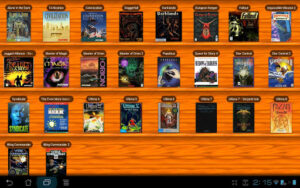
How To Play PC Games On Android: Options For Controlling
The type of control is one of the most important settings. DOSBox Turbo can support touch-screen controls for virtual mice and virtual gamepads, but it is unsuitable for all DOS games. It is highly recommended to use a Bluetooth keyboard and gamepad for classic PC games on Android devices. DOSBox Turbo supports Bluetooth control devices.
You can relive the old computer games with your Android tablet or phone using a Bluetooth control option. Modern Android devices have built-in support for all Bluetooth input devices. It includes keyboards and mice as well as standard gamepads.
The Games
You will need a way of getting your favorite games onto your Android phone. It is easy thanks to Android’s Bluetooth file transfer capabilities and open file system. You should be good to go once you have copied the game files to your Android device.
Android Can Run Some PC Gaming Fun.
You can run your favorite PC games on Android with a little bit of determination. Your Android phone can be transformed into a gaming treasure chest, from solitaire to Super Mario.
We are confident that our this ultimate guide for how to play PC games on Android without a PC will be helpful and make your gaming experience wonderful and easy, too.