
Best Prebuilt Gaming PCs in 2026: What to Buy for 1080p, 1440p and 4K
Updated October 22, 2026. The old version of this guide recommended systems with a GTX 650, spinning hard drives and Windows 10. This rebuild compares current desktop configurations using manufacturer specifications. These are researched buying candidates, not machines PoGamer has benchmarked or owned. Component choices, stock and prices can change.
Affiliate disclosure: As an Amazon Associate, PoGamer earns from qualifying purchases through Amazon links here. An Amazon link takes you to search results for the named model, so check the actual seller and configuration. Links to manufacturers and other PoGamer articles are editorial links.
Fast answer: Start with Player One Prime for 1080p, compare the Player Two Prime and VENGEANCE a7500 for stronger 1440p configurations, and scrutinize OMEN MAX 45L or Area-51 only if you need their premium options. The exact GPU matters more than RGB lighting or an advertised “gaming” label.
Quick comparison
| PC / family | Example CPU | Example GPU | Best fit |
|---|---|---|---|
| NZXT Player One Prime | Ryzen 5 9600X | GeForce RTX 5060 Ti 8GB | 1080p starting point |
| CyberPowerPC Fall Gaming RTX 5060 | Choose in configurator | GeForce RTX 5060 base family; verify choice | Configurable entry build |
| NZXT Player Two Prime | Ryzen 9 9900X | GeForce RTX 5070 Ti 16GB | 1440p and multitasking |
| CORSAIR VENGEANCE a7500 | Ryzen 7 9800X3D | GeForce RTX 5070 Ti 16GB | Gaming-focused AMD configuration |
| Lenovo Legion Tower 7i Gen 10 | Intel Core Ultra family; choose SKU | GeForce RTX 50 series; choose SKU | Full-size Intel tower |
| HP OMEN MAX 45L | Ryzen 7 9800X3D (published base) | GeForce RTX 5070 12GB (published base) | Premium configurable AMD tower |
| Alienware Area-51 Gaming Desktop | Core Ultra 9 285K (illustrated SKU) | GeForce RTX 5080 (illustrated SKU) | High-end Intel option |
For a straightforward new machine, look for an NVMe SSD and enough memory for the games and applications you run. A 16GB configuration is a starting point; 32GB leaves more room for streaming, many browser tabs and heavier workloads. A larger graphics card number alone does not guarantee a better deal: compare the GPU model, VRAM, CPU, memory layout, cooling, power supply and warranty as a whole.
The current shortlist
1. NZXT Player One Prime
1080p starting point
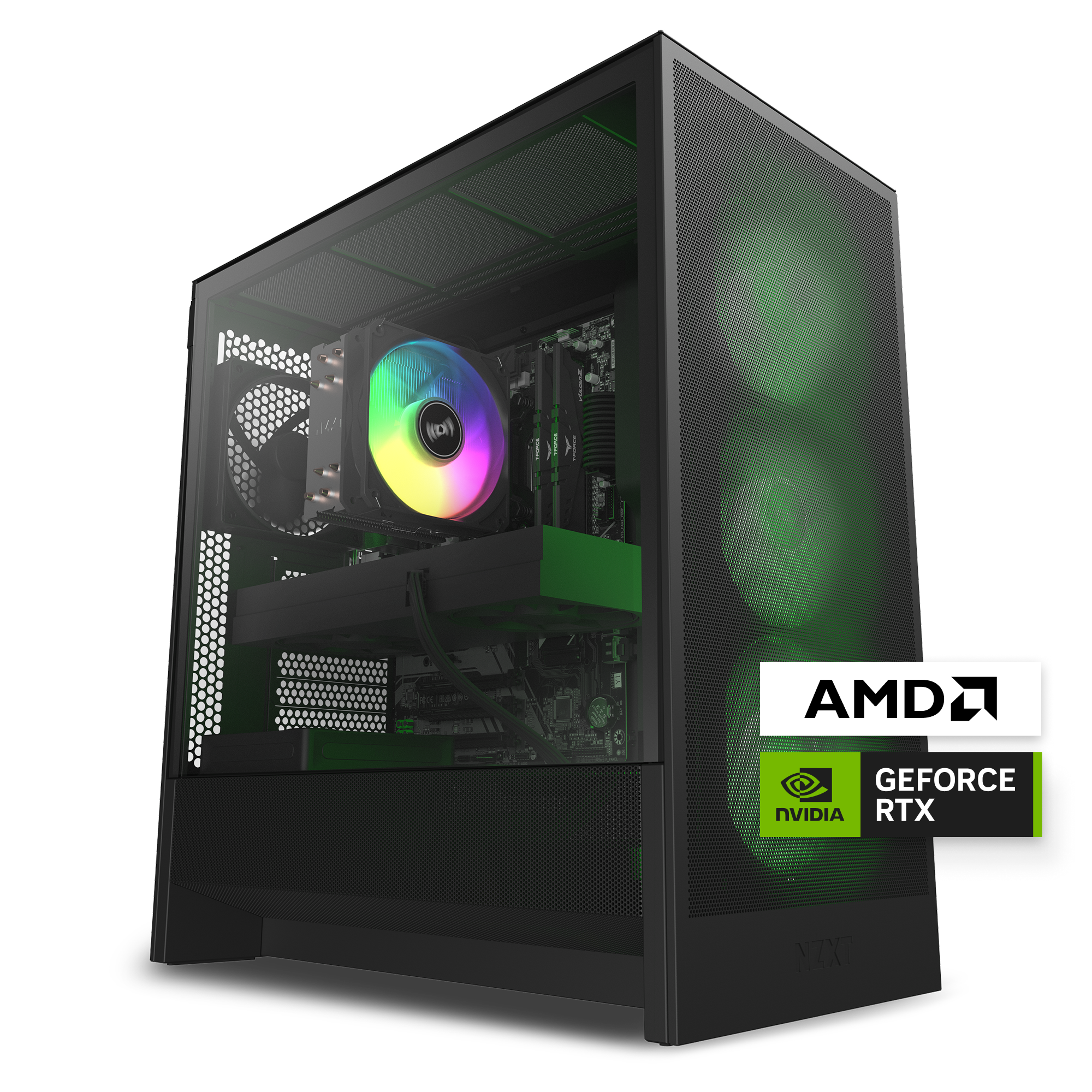
Product photo: NZXT. Representative appearance; selected components may differ.
A clean, modern entry into dedicated-GPU PC gaming. The published configuration pairs a six-core Ryzen CPU with an RTX 5060 Ti, dual-channel DDR5 and an SSD rather than a hard drive.
- CPU: Ryzen 5 9600X
- GPU: GeForce RTX 5060 Ti 8GB
- Memory / storage: 16GB DDR5 / 1TB NVMe SSD
- Check before buying: The 8GB graphics card and 16GB system memory make this a 1080p-first choice. For heavy multitasking or larger game libraries, compare the upgrade cost.
Official specifications / configurations · Search model on Amazon
2. CyberPowerPC Fall Gaming RTX 5060
Configurable entry build
A useful reference when you want to choose the parts instead of accepting a fixed retail SKU. The builder lets you compare the selected CPU, GPU, memory, storage, cooling and power supply together.
- CPU: Choose in configurator
- GPU: GeForce RTX 5060 base family; verify choice
- Memory / storage: Confirm selected configuration / Confirm selected configuration
- Check before buying: The final configuration can differ from the product photo or default selection. Read the cart summary and warranty before placing an order.
Official specifications / configurations · Search model on Amazon
3. NZXT Player Two Prime
1440p and multitasking
The published configuration combines a 16GB RTX 5070 Ti with 32GB dual-channel memory and a 2TB SSD. It is a stronger fit for a 1440p monitor, streaming and a larger installed library.
- CPU: Ryzen 9 9900X
- GPU: GeForce RTX 5070 Ti 16GB
- Memory / storage: 32GB DDR5 / 2TB NVMe SSD
- Check before buying: The 12-core CPU may be more than a gaming-only buyer needs. Compare similarly priced systems with the same GPU before choosing this one.
Official specifications / configurations · Search model on Amazon
4. CORSAIR VENGEANCE a7500
Gaming-focused AMD configuration
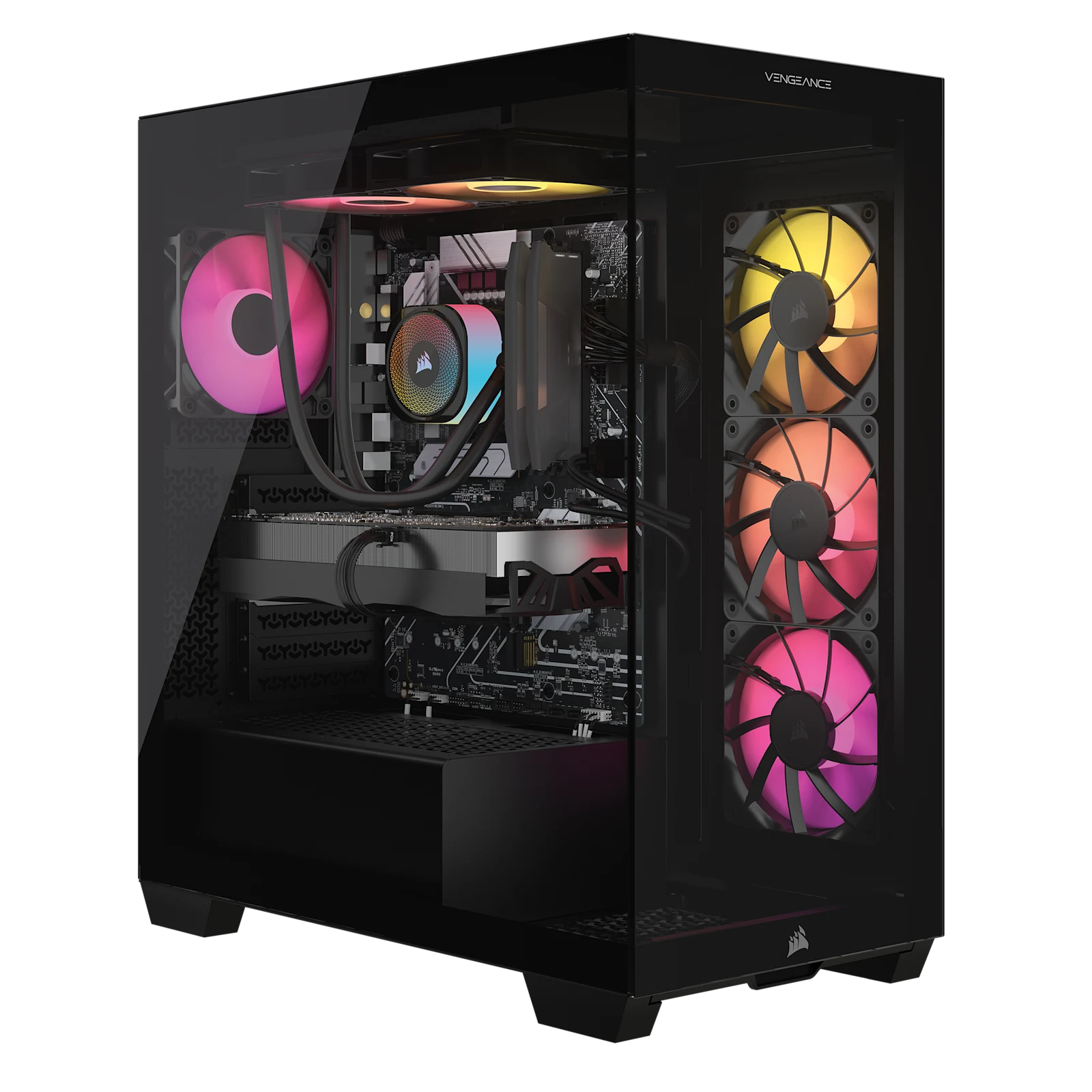
Product photo: CORSAIR. Representative appearance; selected components may differ.
This specific retail configuration pairs a gaming-oriented 9800X3D with an RTX 5070 Ti and 32GB of memory. The component mix is compelling if game performance is your priority.
- CPU: Ryzen 7 9800X3D
- GPU: GeForce RTX 5070 Ti 16GB
- Memory / storage: 32GB DDR5 / 1TB M.2 SSD
- Check before buying: The 1TB drive is smaller than the NZXT Player Two Prime’s published 2TB, so factor in an expansion plan and the final price.
Official specifications / configurations · Search model on Amazon
5. Lenovo Legion Tower 7i Gen 10
Full-size Intel tower
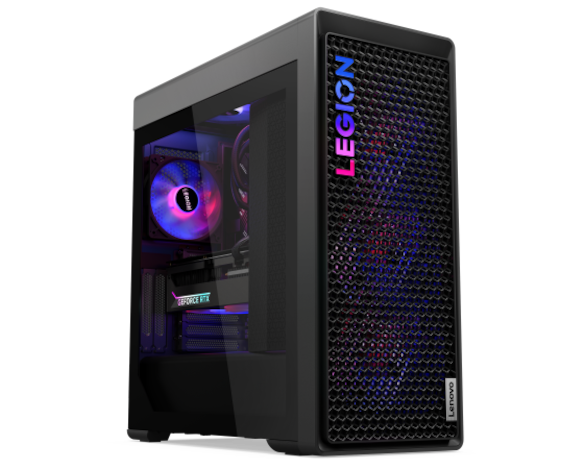
Product photo: Lenovo. Representative appearance; selected components may differ.
An established full-size tower family for buyers who prefer an Intel-based prebuilt. The series offers high-end Core Ultra and GeForce RTX 50-series configurations, with a tool-less side panel shown by Lenovo.
- CPU: Intel Core Ultra family; choose SKU
- GPU: GeForce RTX 50 series; choose SKU
- Memory / storage: Varies by SKU / Varies by SKU
- Check before buying: Do not assume two Tower 7i listings have the same GPU, power supply, storage or warranty. Compare the full model number and spec sheet.
Official specifications / configurations · Search model on Amazon
6. HP OMEN MAX 45L
Premium configurable AMD tower
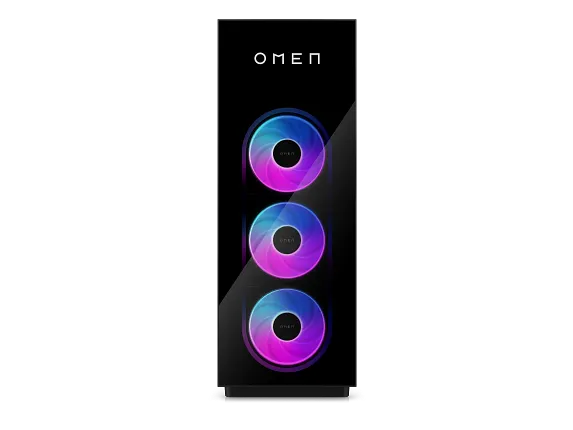
Product photo: HP. Representative appearance; selected components may differ.
HP’s current configurable 45L starts with a Ryzen 7 9800X3D and RTX 5070 on the cited US page, with higher GPU and storage choices offered. Its large chassis and cooling approach suit buyers who want a premium tower.
- CPU: Ryzen 7 9800X3D (published base)
- GPU: GeForce RTX 5070 12GB (published base)
- Memory / storage: 32GB DDR5 (published base) / 1TB NVMe SSD (published base)
- Check before buying: HP lists a single 32GB DIMM in the default example. Compare the two-stick 2 × 16GB option, GPU upgrades and final configuration before checkout.
Official specifications / configurations · Search model on Amazon
7. Alienware Area-51 Gaming Desktop
High-end Intel option
Dell lists an Area-51 configuration with an Intel Core Ultra 9 285K, RTX 5080, 32GB DDR5 and 2TB SSD. It is an option for buyers who want a powerful assembled system and Dell support.
- CPU: Core Ultra 9 285K (illustrated SKU)
- GPU: GeForce RTX 5080 (illustrated SKU)
- Memory / storage: 32GB DDR5 (illustrated SKU) / 2TB SSD (illustrated SKU)
- Check before buying: This is a premium-priced family. Compare GPU-equivalent systems and check physical size, upgrade access and support terms; do not buy it merely for the model name.
Official specifications / configurations · Search model on Amazon
How to choose the right prebuilt gaming PC
Start with the monitor and games
A 1080p monitor does not automatically justify a flagship GPU. At 1440p, compare a stronger graphics tier and sufficient VRAM for the games and settings you care about. At 4K, the GPU carries much more work and display settings make a major difference. “4K ready” and universal FPS claims are not substitutes for independent benchmarks of your actual games.
Check the exact GPU and memory configuration
Retailers often sell the same tower name with several graphics cards. Read the SKU, not just the family name. For memory, check the total capacity, number of sticks and available slots; a 1 × 32GB and 2 × 16GB configuration are not identical. Check whether upgrades use standard components and whether opening the case affects warranty terms.
Look beyond headline parts
The power supply, cooling, case airflow, motherboard I/O and storage expansion determine how pleasant the PC is to live with. Check Wi-Fi, Ethernet, front USB-C, display outputs, included peripherals, power supply wattage, spare M.2 slots and the actual return window. Confirm that Windows 11 is included. Microsoft ended ordinary Windows 10 support in October 2025.
Compare total ownership cost
Include the monitor, keyboard, headset, tax and shipping in your budget. A “sale” price can change before checkout. Compare at least two systems with the same graphics card and similar RAM/SSD capacity; then assess build quality and support. If you would rather choose components yourself, start with our PC builder comparison and white motherboard guide.
Prebuilt gaming PC FAQs
Is a prebuilt PC worse than building one?
No. A prebuilt trades component-by-component control for assembly, a single system warranty and a shorter path to playing. The better value depends on the exact parts, labor and support, not on the label “prebuilt.”
Is 16GB RAM enough for gaming in 2026?
It is a workable starting point for many games, but 32GB provides more headroom for modern multitasking, creation and streaming. Check whether a 16GB system uses two sticks and whether it can be upgraded later.
Should I buy a used GTX 650 or hard-drive-only gaming PC?
Only if you understand its severe limits and have a specific low-demand use. The old guide treated such machines as capable modern gaming systems; that claim is removed. A boot SSD and a current supported operating system are basic checks for a new purchase.
Are these PCs tested by PoGamer?
No. The shortlist is based on published manufacturer configurations and buyer-relevant trade-offs. It does not claim measured frame rates, thermals or noise. Verify independent tests for the specific GPU and games you play.
Sources and image credits
Manufacturer specifications were reviewed October 22, 2026. Photos from NZXT, CORSAIR, Lenovo and HP are used for editorial product identification; the featured graphic is original PoGamer artwork. Configurations and availability may change.
- NZXT Player One Prime
- CyberPowerPC Fall Gaming RTX 5060
- NZXT Player Two Prime
- CORSAIR VENGEANCE a7500
- Lenovo Legion Tower 7i Gen 10
- HP OMEN MAX 45L
- Alienware Area-51 Gaming Desktop
- Microsoft: Windows 10 support timeline
Related reading: Graphics cards for VR and Razer BlackShark V2 X review.